
Girls Echo APK: Android Download and Install Guide
Looking for Girls Echo apk? Get the official Android download, check the app details, and explore Goddess teams, offline growth, and character bonds today.
Jump to

Where to Download Girls Echo APK on Android
Ready to build a Goddess team and step into a world where ancient legends collide with modern life? Start your Girls Echo apk search with the official Android download so you can identify the right game before installing. This Girls Echo apk guide covers the download route, installation basics, platform differences, and the team-building features waiting inside.
Girls Echo is available through the official Girls Echo page on Google Play. On Android, look for the developer name HOWLYO GAME and the package identifier com.girlsecho.gp. Those details help distinguish the game from similarly named apps when you’re choosing a download.
The game also has an iOS release. If you’re using an iPhone or iPad, head to Girls Echo on the App Store. The seller there is HOWLYO HONG KONG LIMITED.
| Platform | Download destination | Developer or seller |
|---|---|---|
| Android | Google Play | HOWLYO GAME |
| iOS | App Store | HOWLYO HONG KONG LIMITED |
For an Android download, use Google Play as your starting point. It gives you a direct route to the game without making you choose among separate APK download pages.
Before you install, check these details:
- The game name is Girls Echo.
- The Android developer is HOWLYO GAME.
- The Google Play address contains com.girlsecho.gp.
- You’re choosing the download for your device’s platform.
That quick identity check matters more than a download button advertising a version number. Start with the correct app, then check the update information for the platform you actually use.
How to Install Girls Echo APK and Choose Your Download Route
An APK is an Android installation package. If you already have a Girls Echo APK file downloaded, the basic installation process is to tap that file and follow the on-screen prompts until installation finishes.
 Image: App Store / HOWLYO HONG KONG LIMITED
Keep the two Android download routes separate in your mind: installing through Google Play and opening a downloaded APK file. Both concern the Android game, but the actions you take are different.
Install through Google Play
For the official store route:
- Open the official Girls Echo Google Play page linked above.
- Check the game name and developer.
- Use the installation option available for your device.
This is the direct starting point when you simply want to download the game and begin playing. You don’t need to search for a separate package to use the Google Play route.
Install a downloaded APK file
For a Girls Echo apk file already on your Android device:
- Tap the downloaded APK.
- Follow the installation prompts displayed on your device.
- Complete the installation before opening the game.
Follow the prompts your device presents rather than looking for a particular button layout from another phone. Keep the installation task focused on the game package you intended to open.
Choose the right format for your device
Use the App Store release on iOS. Searching for an Android package adds an unnecessary detour when you’re playing on an Apple device.
Likewise, keep platform information together when comparing downloads. An iOS update number belongs to the iOS release; it isn’t a target version for your Android installation.
If your goal is simply to get Girls Echo running on your phone, choose your platform first, then follow its download route. That keeps the setup straightforward and gets you to the part that matters: putting together your team.
What Kind of Game Is Girls Echo?
Girls Echo combines Goddess team building, idle growth, and character relationships within a fantasy story about two connected worlds.
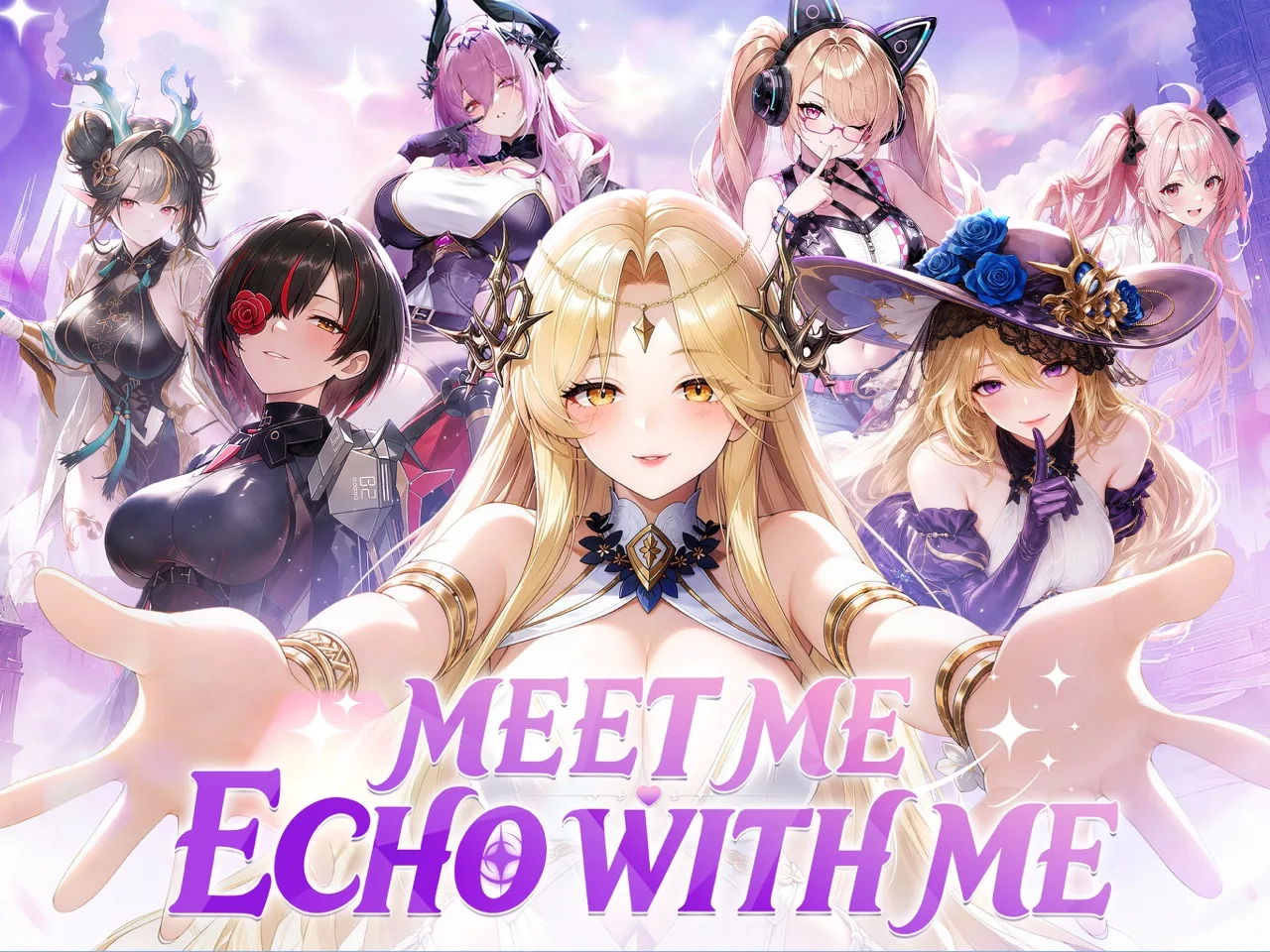 Image: App Store / HOWLYO HONG KONG LIMITED
A catastrophe is breaking down the boundary between the real world and Shenzhou, an ancient realm. Phantoms tied to forgotten eras and legends are emerging as an old enemy threatens both the world you know and the story unfolding around it.
Your connection with the Goddesses sits at the center of that conflict. Forming a covenant brings the character cast into the adventure, while battles and personal interactions develop those relationships further.
The appeal goes beyond collecting an animated roster. You choose a team, shape its strategy, and spend time with individual characters outside combat.
| Feature | What it brings to the game |
|---|---|
| Goddess team building | Assemble your chosen characters and set a battle strategy |
| Offline growth | Allies continue growing while you’re away |
| Animated characters | Expressive animations and detailed character visuals |
| Character encounters | Personal interactions and special story moments |
| Relationship development | Stronger bonds contribute to character strength |
| Character endings | Relationship content includes exclusive endings |
Team strategy and idle growth
Girls Echo gives you a team to build around your choices. The strategy comes from deciding which Goddesses you want together and how you want that lineup to work.
Offline growth supports that structure. Your allies can continue developing while you’re away, giving the game an idle component alongside its active battles and character interactions.
Build a team with a purpose. Decide which characters you want to develop, then use that decision to guide your attention when you return. That keeps the roster manageable while you learn what each Goddess brings to your strategy.
Relationships have a combat connection
Character interactions are part of progression as well as storytelling. Developing a closer bond with a Goddess increases her strength, connecting the relationship side of the game to battlefield power.
Spend time with the characters you want to develop. Battles and personal interactions both contribute to those connections, so make room for each instead of treating character scenes as something to rush past.
For anyone considering a Girls Echo apk download, this combination is the main gameplay hook: a Goddess roster, growth between sessions, and relationships that influence both story content and combat strength.
How to Approach Your Goddess Team After Installing
Once your Girls Echo apk installation is finished, focus on understanding the relationship between your roster, your strategy, and your characters’ bonds. Those systems give you a useful foundation without requiring a specific named lineup.
Build around a clear team idea
Choose the Goddesses you want to develop and think about how they fit together. Team selection and strategy are central features, so give your lineup some attention before moving on to character interactions.
Ask yourself what you want from the team. Which characters interest you? Which Goddesses do you want to spend more time developing? Use those answers to narrow your focus.
Keep character appeal and team planning connected. You’ll spend time with these Goddesses in battles and personal encounters, making both sides relevant to your choices.
Develop bonds alongside battle strength
Use battles and character interactions to deepen your relationships. Since closer bonds strengthen your Goddesses, relationship development deserves a place in your regular play.
Pick a favorite character and explore her encounters as you build her place in the team. This gives you a clear thread to follow across combat and story content.
Avoid reducing every character choice to appearance alone. Expressive animation is part of Girls Echo’s presentation, but the relationship system also gives those characters a continuing role in your team’s development.
Make use of the idle structure
Plan your play around the fact that allies grow while you’re offline. You can step away and return to a game designed to include growth between active sessions.
When you come back, review the team you’re developing and decide what to focus on next. Continue a character relationship, revisit your lineup, or spend time with the story.
Keep those decisions connected to your current interests. The offline component supports the team-building loop, while your active time lets you engage with the characters and strategy directly.
Leave room for character stories
Explore personal encounters with the Goddesses you enjoy. These interactions deepen relationships and lead into special moments and exclusive character endings.
Pay attention to the characters themselves as you go. Girls Echo ties its fantasy conflict to a cast you can get to know outside battle, so the personal scenes are a substantial part of the experience.
If the premise drew you in, give both sides room: the larger conflict involving Shenzhou and the smaller stories built around individual Goddesses.
Girls Echo Versions and Platform Updates
When checking Girls Echo apk updates, keep Android information separate from iOS information. Start with the official store page for the device you’re using, then read the version details attached to that release.
On iOS, version 1.0.2 was updated on October 15, 2026. Its changes focus on language, text, and game performance.
| iOS update detail | Version 1.0.2 |
|---|---|
| Update date | October 15, 2026 |
| Language and text | Refinements to wording and language |
| Performance | Game performance improvements |
These are practical polish changes. Clearer text helps you follow character conversations and understand the game’s wording, while performance improvements address how the game runs.
For Android, use the Google Play page for com.girlsecho.gp when checking the app. Keep that package identifier handy if you need to distinguish Girls Echo from another title with a similar name.
Before updating, check the platform, game name, and developer together. Version numbers make sense within the release they belong to, so compare Android details with Android details and iOS details with iOS details.
Once you have the right release installed, turn your attention to the game’s core loop: assemble your Goddess team, set a strategy, and develop relationships through battles and character encounters.
FAQ
Where can I download Girls Echo apk for Android?
Use the official Girls Echo Google Play page. Check for HOWLYO GAME as the developer and com.girlsecho.gp as the Android package identifier before installing.
How do I install a downloaded Girls Echo APK?
Tap the downloaded APK file on your Android device and follow the on-screen installation prompts. If you’re downloading through Google Play, use the installation option on the game’s official page.
Is Girls Echo available on iOS?
Yes. Girls Echo is available on the App Store under HOWLYO HONG KONG LIMITED. The iOS version 1.0.2 update, dated October 15, 2026, includes language, text, and performance improvements.
Does Girls Echo include offline growth and character relationships?
Yes. Allies can grow while you’re offline. Battles and character interactions also deepen bonds with your Goddesses, strengthening them while opening up personal story content and exclusive endings.
Continue with
 Girls Echo iOS: Download, Requirements, and Play TipsGet started with Girls Echo iOS on iPhone and iPad. Check device requirements, download size, gameplay features, and purchase details before you play.
More in Platforms

Girls Echo PC Guide: Download, Setup, and Team Tips
Play Girls Echo PC through Google Play Games or an Android emulator. Check Windows requirements, follow setup steps, and build a stronger starting squad.
Girls Echo System Requirements: PC and Mobile Guide
Check Girls Echo system requirements for PC and Mac, explore Android and iPhone options, and follow simple installation steps to get your team into battle.
Join the community
Official channels for news, updates and player help: