
Girls Echo Release Date: Launch Time and How to Play
Check the Girls Echo release date, global launch times, Android and iOS downloads, and practical tips for summons, team building, and your opening session.
Release at a glance
- Release date
- Release date TBA
- Platforms
- Android, iOS
- Status
- Out now
Jump to

What Is the Girls Echo Release Date?
The Girls Echo release date was October 15, 2026, so you can jump into its goddess-collecting RPG adventure now. Knowing the launch schedule helps you separate the worldwide opening from the newer server celebrations you encounter after signing in. If you searched for the Girls Echo release date before downloading, here’s what matters: the game has launched on mobile, with automated battles, character summons, and offline progression.
The worldwide launch was scheduled for 7:00 p.m. UTC+7 / 7:00 a.m. UTC−5 on October 15. Those are two ways of expressing the same opening time.
| Launch detail | Date or time |
|---|---|
| Worldwide release date | October 15, 2026 |
| Launch time at UTC+7 | 7:00 p.m., October 15 |
| Launch time at UTC−5 | 7:00 a.m., October 15 |
| Release status | Released |
Keep the stated UTC offsets in mind when reading the schedule. The UTC−5 time is a fixed offset, so don’t automatically read it as your local U.S. time.
Pre-Download and Server Openings Are Different Dates
Pre-download let players install Girls Echo before the worldwide opening. Having the app installed early didn’t move the launch forward; it simply let players prepare the download ahead of time.
Individual server openings have their own calendars, too. A New Server Celebration tied to a later server opening doesn’t change the Girls Echo release date. It tracks that server’s event schedule.
Now that launch has passed, focus on the server you choose and the timers inside your account. Those determine which opening celebrations and daily activities you should tackle during your session.
Girls Echo Platforms and Download Options
Girls Echo is available on Android, iPhone, and iPad. HOWLYO GAME is the developer name associated with the Android game, while HOWLYO HONG KONG LIMITED is the seller for the Apple version.
 Image: App Store / HOWLYO HONG KONG LIMITED
For a direct download, use Girls Echo on Google Play or Girls Echo for iPhone and iPad.
| Platform | How to play | Relevant requirement or detail |
|---|---|---|
| Android | Install through Google Play | Android mobile version |
| iPhone | Install through the App Store | Requires iOS 16.0 or later |
| iPad | Install through the App Store | Requires iPadOS 16.0 or later |
| Windows PC or Mac | Run the Android game through an emulator | Uses the Android version |
The Apple app is free to download and includes in-app purchases. Character collecting, upgrade systems, and paid packs are part of the experience, so take time to understand the menus before buying anything.
Playing on a Computer
You can also play the Android version on a computer through an emulator. That gives you a larger view of the character art, formation screen, and upgrade menus while running the mobile game.
The installation process involves installing the emulator, signing in to Google Play, searching for Girls Echo, and installing the game. Launch it from the emulator’s home screen once installation finishes.
For players checking the Girls Echo release date alongside PC availability, this distinction matters: the computer option described here runs the Android game. Choose your preferred screen size, then use the appropriate mobile download route.
What Kind of Game Is Girls Echo?
Girls Echo combines an anime character collector with an idle RPG and relationship features. Its story brings the modern world into contact with the ancient realm of Shenzhou, where legendary beings called Phantoms emerge as a catastrophe threatens both realities.
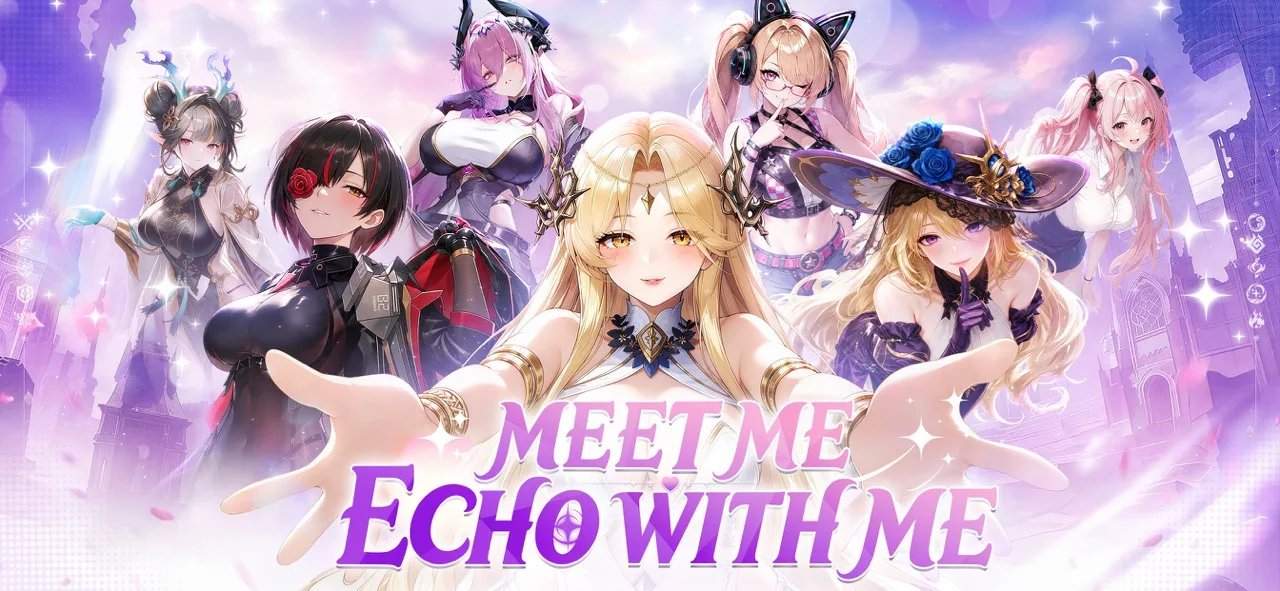 Image: App Store / HOWLYO HONG KONG LIMITED
You assemble a team of goddesses, strengthen your lineup, and advance through battles. Away from combat, dates and relationship scenes give you another way to spend time with your favorite characters.
Automated Battles and Faster Progression
Early combat is automated. Your preparation happens through formation choices, character upgrades, equipment, and team composition.
Battle speed reaches 3×, and clearing stage 1-6 unlocks battle skipping. These features help you move through early encounters without watching every fight at normal speed.
Use the faster settings while advancing through comfortable stages. When your team stalls, review its levels, equipment, and skill interactions before spending more resources. Skipping saves time, but your lineup still needs enough strength to clear the encounter.
The game also supports offline growth and resource collection. That makes returning to your account part of the progression loop, alongside story battles and the activities you unlock.
Collecting Characters and Building Bonds
Summoning expands your roster, while Phantom shards increase character star ratings. Duplicate investment matters because a character’s development can change how useful that unit is on your account.
Team relationships matter as well. Battles and dates deepen bonds, and those bonds contribute to combat strength. Dates also unlock special moments and CG endings.
If the Girls Echo release date caught your attention because you enjoy character collectors, expect both sides of that loop: building a stronger battle formation and developing relationships with the goddesses you recruit.
Keep those goals connected. Pick favorites you enjoy spending time with, then examine how their skills fit the team you’re developing.
Understand Your Server and Launch Events
After downloading, server selection becomes more useful than watching the original launch countdown. Girls Echo has SEA and global server groups, with different reset schedules affecting event timing.
Choose a server group whose activity schedule fits when you can play. Once you’re inside, check the event calendar and the countdowns attached to your account.
The Girls Echo release date marks the worldwide opening; your server calendar tells you what to do today.
| Event or feature | What to check | What you can earn or progress |
|---|---|---|
| New Server Celebration | The event’s displayed end date | Server opening activities and rewards |
| Summon Benefits | Summoning milestones | Rewards tied to accumulated summons |
| Beginner Carnival | Available daily missions | Additional tickets |
| Star-up benefit missions | Required character star ratings | Rewards for reaching development milestones |
| Guild Ranking Rush | Your guild’s ranking | Guild competition rewards |
Read the Reward Requirements Before Committing
Different events reward different actions. Summon Benefits tracks summoning milestones, while star-up missions require characters to reach specified star ratings.
Open each reward’s requirements before using tickets or upgrade materials. That lets you connect resources you already planned to spend with an active objective.
Pay particular attention to character boxes. A random SSR Plus reward gives a random result; it doesn’t let you choose a specific character. Read that distinction before purchasing a pack for your planned team.
For guild competition, inspect the guild’s activity and ranking before joining. Guild Ranking Rush gives you a reason to consider the group’s strength alongside its name or leadership position.
Keep Server Timing Separate From Daily Plans
Don’t build your routine around someone else’s reset schedule. SEA and global groups operate on different timing, and your account’s event calendar is the practical reference for your session.
Check which objectives are ending, claim completed rewards, and then decide where to spend your remaining playtime. This keeps the opening event menus manageable without turning every available purchase into a priority.
What to Do During Your Opening Session
With the Girls Echo release date behind us, your next goal is building a team that can keep moving through the opening content. Start with story progression, learn the upgrade systems, and use your actual roster to guide your decisions.
| Order | Action | Relevant mechanic |
|---|---|---|
| 1 | Advance through stage 1-6 | Clearing it unlocks battle skipping |
| 2 | Claim completed missions and available freebies | Daily quests, achievements, and event menus provide rewards |
| 3 | Review your summons and duplicate characters | Phantom shards increase star ratings |
| 4 | Develop your core team evenly | Resonance connects other characters to your core team’s levels |
| 5 | Check skill descriptions and lineup recommendations | Characters support different team compositions |
Build Around Skills and Duplicates
Read character skills before assembling a team around rarity alone. Poison and burning compositions rely on characters whose abilities work together, and the lineup recommendation feature helps you explore those connections.
Prioritize upgrades for a coherent team. A developed character with multiple duplicates can contribute more to your current formation than a less developed alternative placed higher on a generic tier list.
For example, Kaguya supports a poison composition, while Phoenix is associated with burning. Use those roles to understand what your team is trying to accomplish before spreading investment across unrelated characters.
When choosing duplicate rewards, inspect the units you already own. Focus those choices on the formation you intend to develop instead of selecting a new character solely to expand the collection.
Keep Your Core Team’s Levels Balanced
Resonance links other characters’ levels to the five heroes in your core group. Keep those core heroes developing together rather than pouring every resource into a single favorite.
Check equipment as well as character levels. Equip the characters you actively field, then review their star ratings and other available growth systems.
When progress slows, work through those systems deliberately. Inspect your lineup, identify the upgrade you can actually complete, and spend resources toward that improvement.
Match Your Team to the Activity
Area damage helps when you’re pushing through groups of enemies in adventure and tower content. Single-target damage has a different role against bosses, including guild bosses.
Develop your early clearing team before diverting resources toward every activity at once. Then examine your single-target options when you start focusing on boss damage.
Keep spending decisions separate from that process. Read pack contents, distinguish random rewards from selectors, and learn what your current characters can do before paying to change the roster.
FAQ
What Is the Girls Echo Release Date?
The Girls Echo release date was October 15, 2026. The worldwide opening was scheduled for 7:00 p.m. UTC+7 / 7:00 a.m. UTC−5. As of October 18, the game is released, so you can download it and begin playing.
Is Girls Echo Available on Android and iOS?
Yes. Girls Echo is available through Google Play for Android and the App Store for iPhone and iPad. The Apple version requires iOS 16.0 or later on iPhone or iPadOS 16.0 or later on iPad.
Can You Play Girls Echo on PC?
Yes, through an Android emulator. Install the emulator, sign in to Google Play, search for Girls Echo, and install the Android version. You can then launch the game from the emulator’s home screen.
Does Girls Echo Have Auto-Battle and Offline Progression?
Yes. Girls Echo features automated combat and offline growth. Battle speed reaches 3×, and battle skipping unlocks after clearing stage 1-6. Your formation, equipment, levels, and character development remain central to progressing through tougher encounters.
Continue with
 Girls Echo CN Version: Tier Lists and Release GuideExplore Girls Echo cn version tier lists, compare team-building priorities, and learn how dupes, elemental synergy, and launch details affect your squad.
More in Release
See all ReleaseQuick links

Girls Echo Codes (October 2026): Free Rewards Guide
Redeem Girls Echo codes for Diamonds, summon items, and upgrade materials. Get October 2026 code list, redemption steps, and tips for building your team.

Girls Echo Beginner Guide: 12 Tips for a Strong Start
Use this Girls Echo beginner guide to build your team, manage summons, level five core characters, and collect daily rewards for a stronger start today.

Girls Echo Tier List: Best Characters and Team Picks
Use this Girls Echo tier list to compare characters, choose powerful tanks and healers, and build better teams around your duplicates and key synergies.

Girls Echo Account Recovery: Find Your Original Login
Girls Echo account recovery starts with your login and server. Follow the account-switching steps, avoid reroll resets, and check your original progress.
Join the community
Official channels for news, updates and player help: